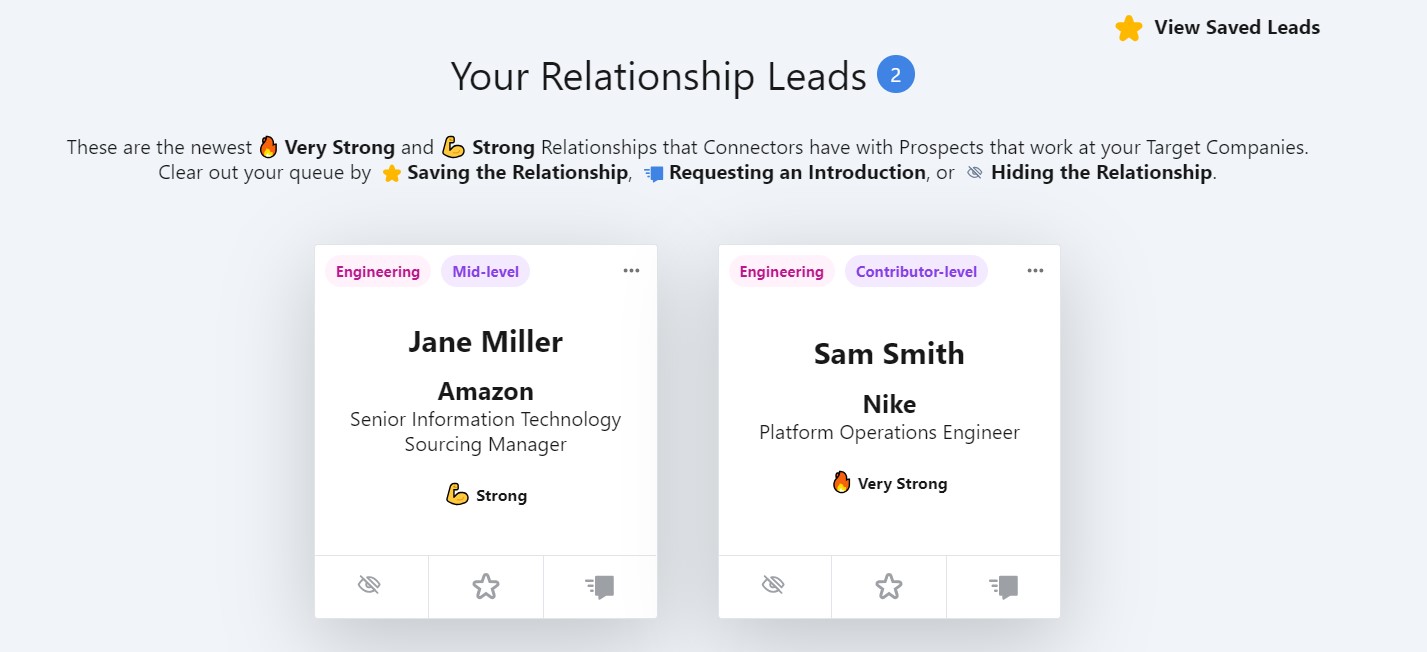
About the SmallWorld Salesforce App
SmallWorld's Salesforce integration enriches your Salesforce instance with powerful relationship data from your SmallWorld account. Requesters can view relationships for a given record, initiate relationship strength requests, request introductions, or post to the Bulletin Board — all without leaving Salesforce.
Beyond these core features, the integration includes additional tools like the Relationship Leads queue, Target Company Sync, and Analytics Sync. With seamless access to this data, sales reps can stay focused on high-impact opportunities and execute smarter, faster decisions directly within Salesforce.
Looking for app installation instructions? See Salesforce App Installation Instructions.
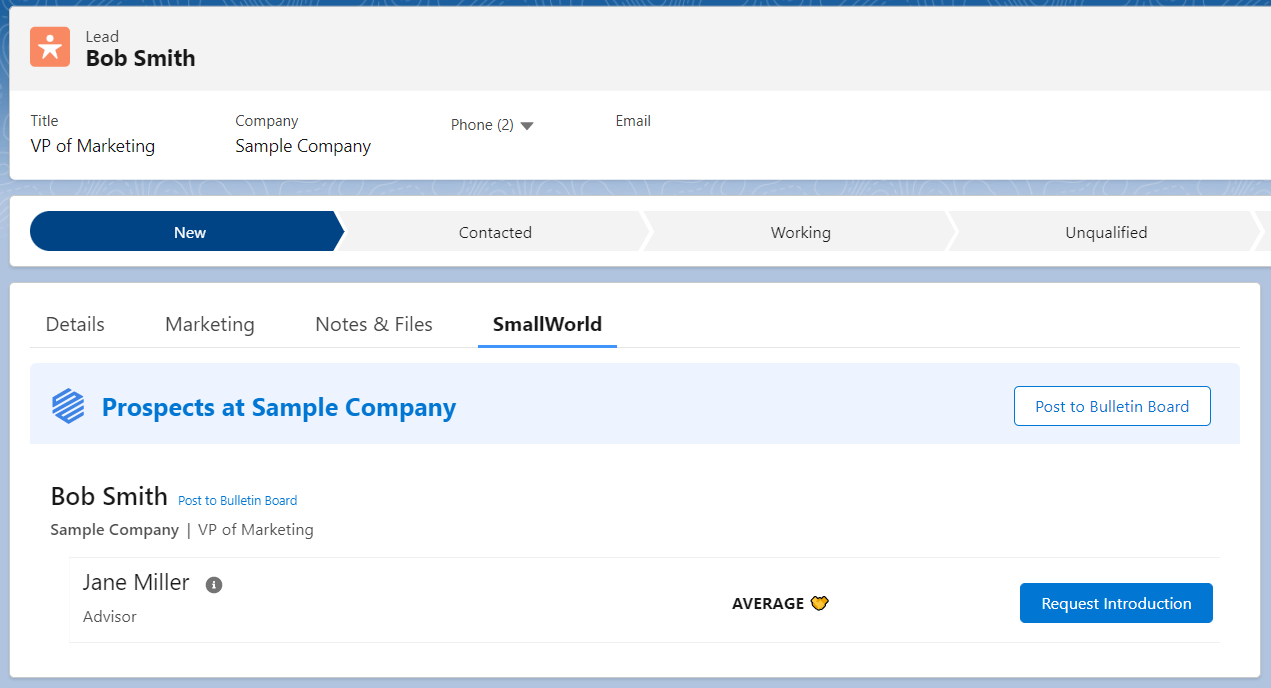
Lead & Contact Pages
When viewing a Lead or Contact Page, SmallWorld will display any of your Connectors who have a relationship with the Lead or Contact.
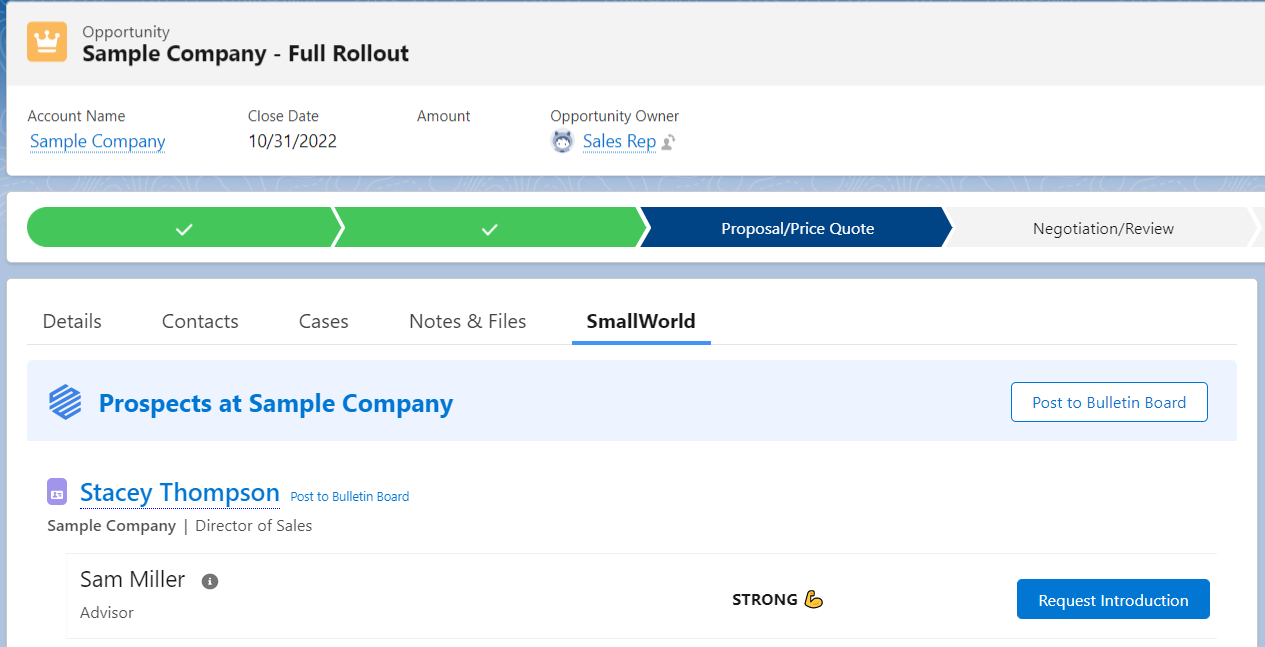
Opportunity Page
When viewing an Opportunity Page, SmallWorld will display any of your Connectors who have relationships with the Account tied to the Opportunity.
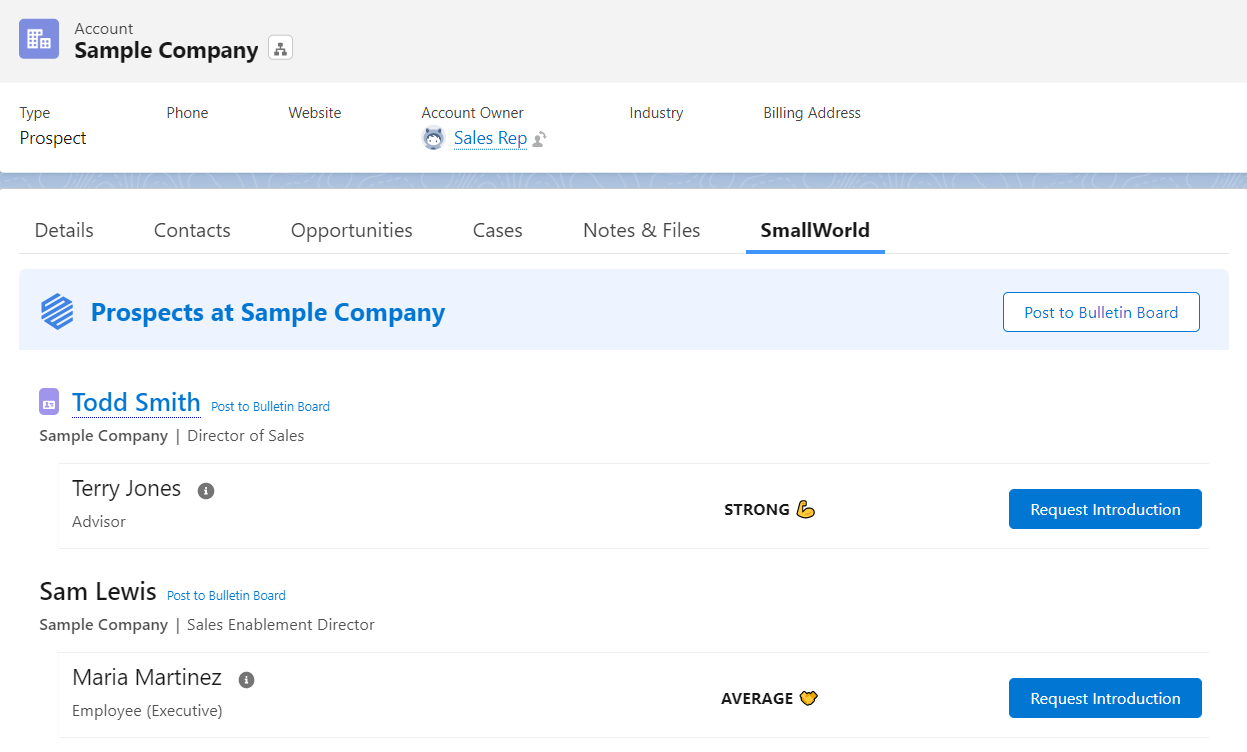
Account Page
When viewing an Account Page, SmallWorld will display any of your Connectors who have relationships with the Account.
Relationship Leads Queue
On a dedicated Lightning App Page, SmallWorld will show all unaddressed Relationship Leads across each user's Target Accounts.