Getting Started with SmallWorld in Microsoft Teams
A step-by-step guide to enable and set up the SmallWorld App in Microsoft Teams.
Step 1: Find the SmallWorld App
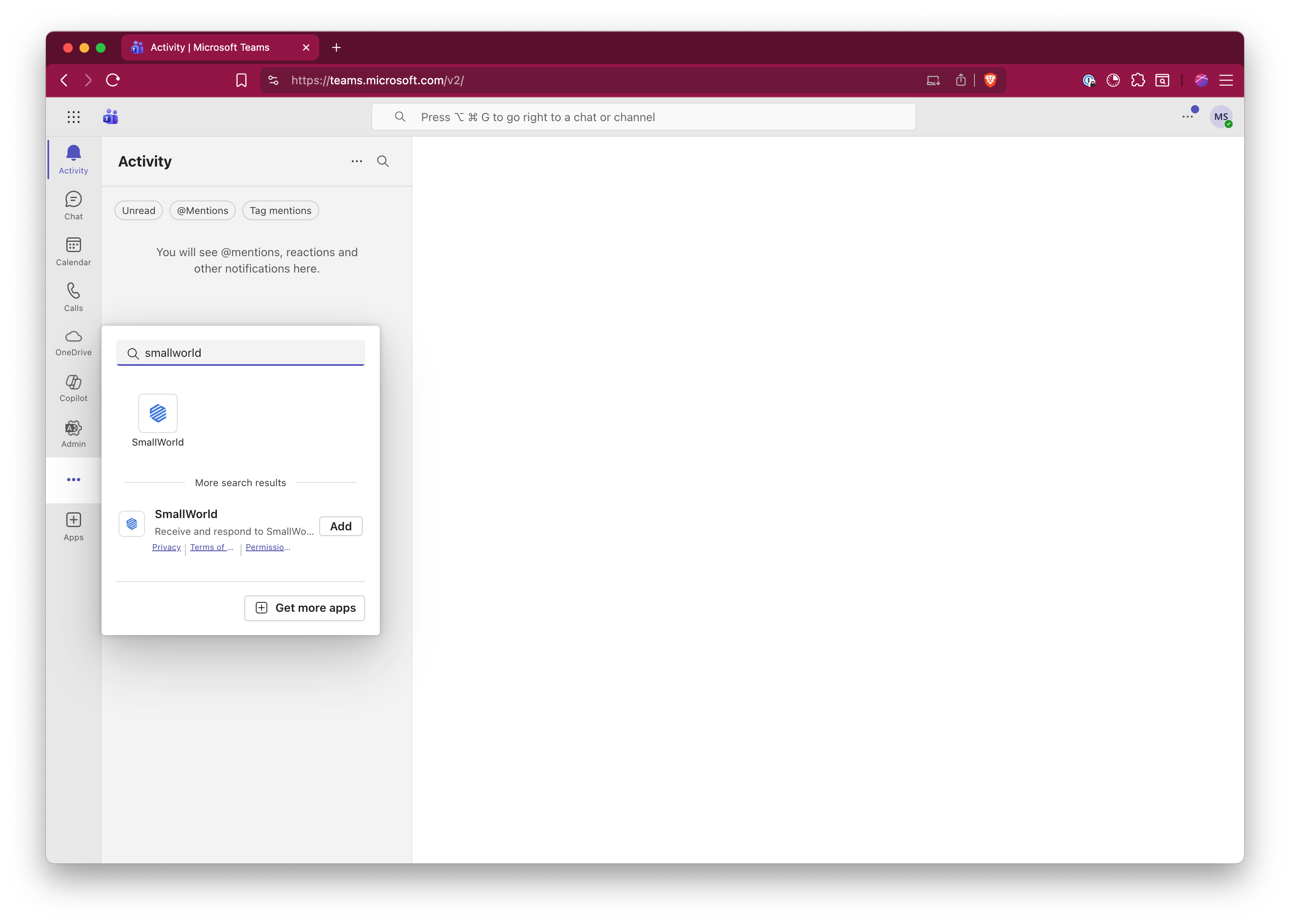
Open Microsoft Teams and use the search bar or click the ... (more apps) icon in the left sidebar. Search for "smallworld" and you'll see the SmallWorld app appear in the results. Click on it or select Add to install the app.
Step 2: Open the SmallWorld App
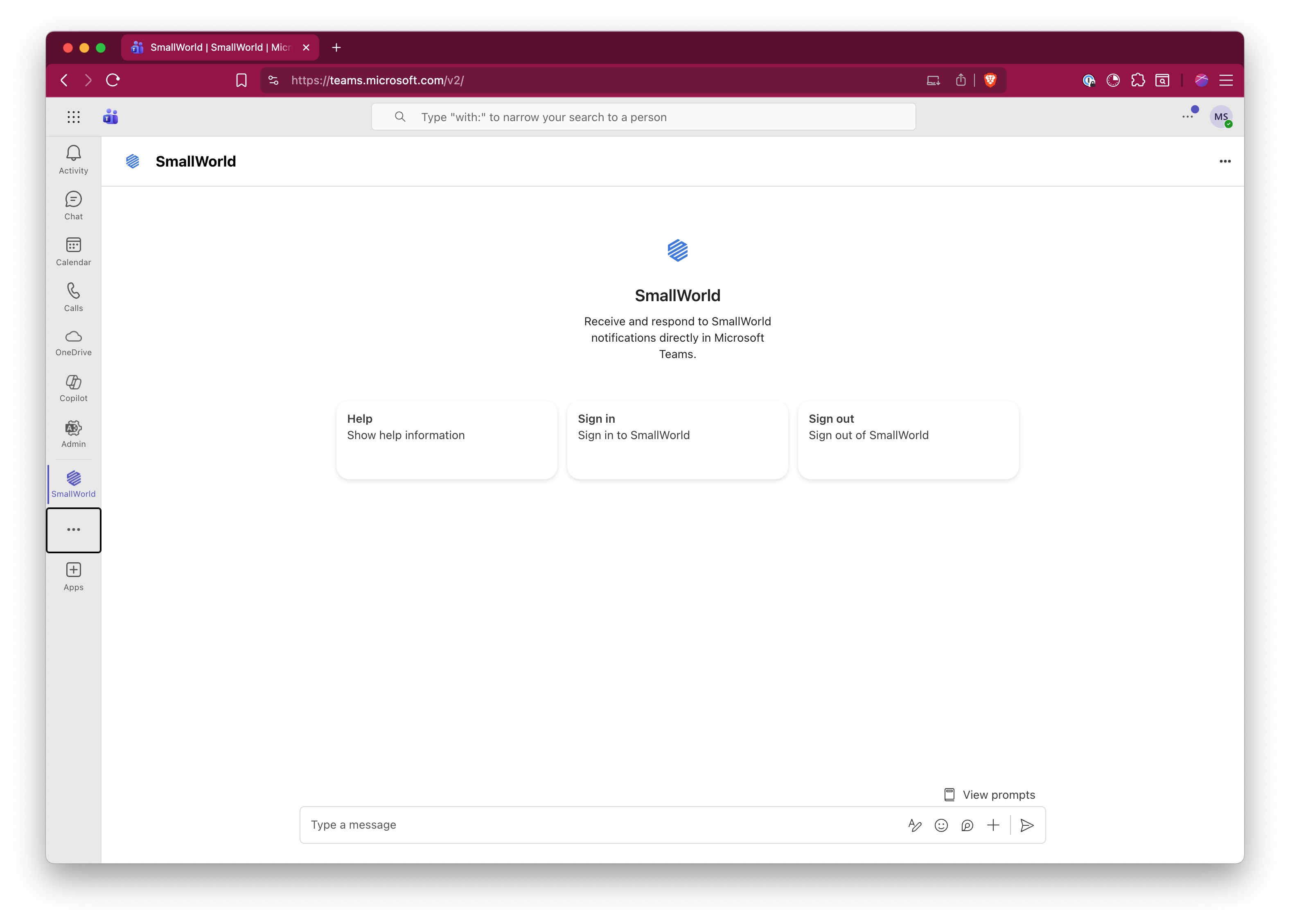
Once added, SmallWorld will appear in your left sidebar. Click on it to open the app. You'll see the main SmallWorld interface with three options: Help, Sign in, and Sign out.
Step 3: Sign In to SmallWorld
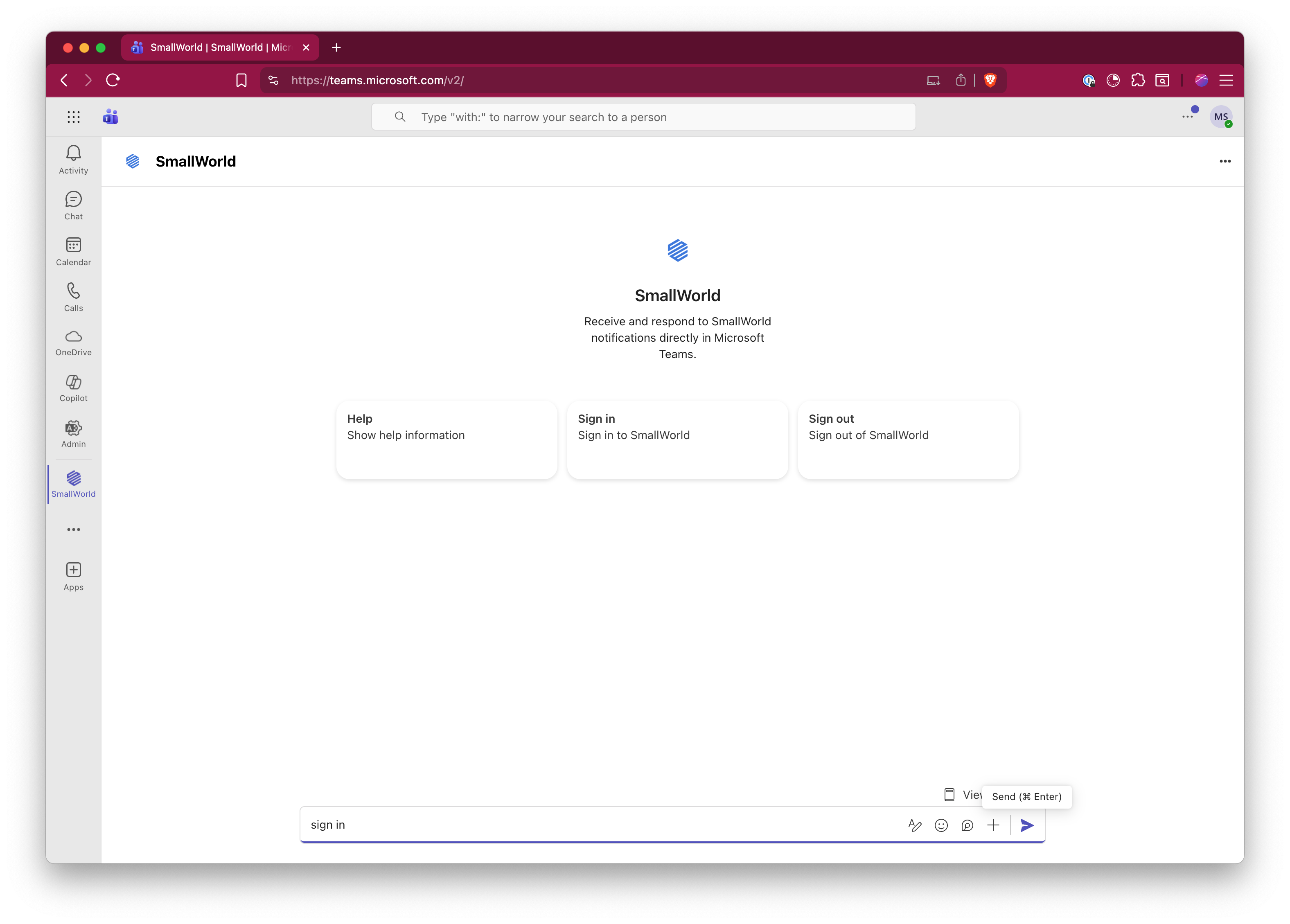
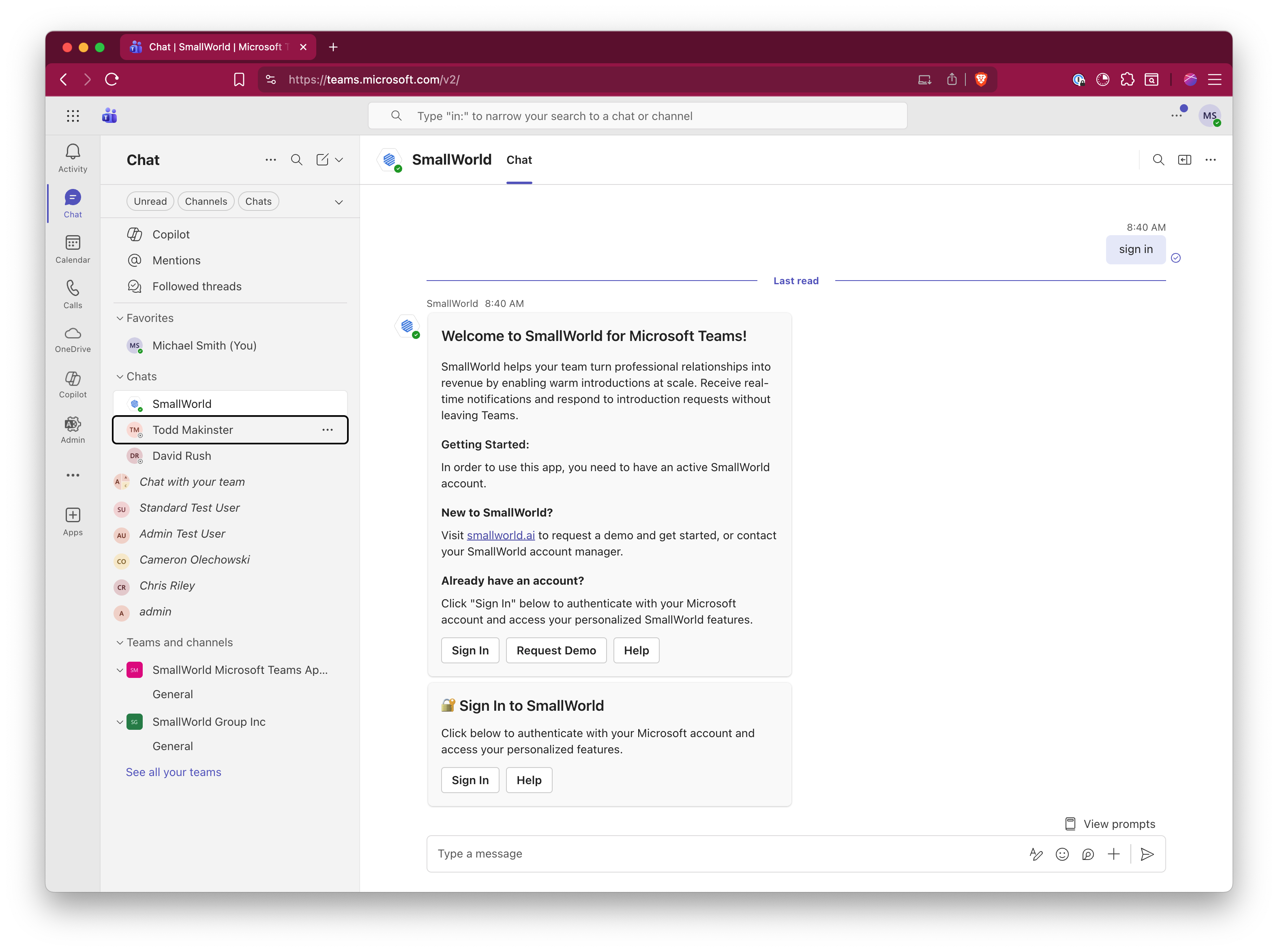
Type "sign in" in the message box at the bottom, or click the Sign in card. This will initiate the authentication process.
Step 4: Authenticate with Your Microsoft Account
A welcome message will appear explaining that you need an active SmallWorld account. Ensure in another browser tab or window that you are logged into https://www.smallworld.ai. If you already have an account, click the Sign In button to authenticate with your Microsoft account.
Step 5: Complete Authentication
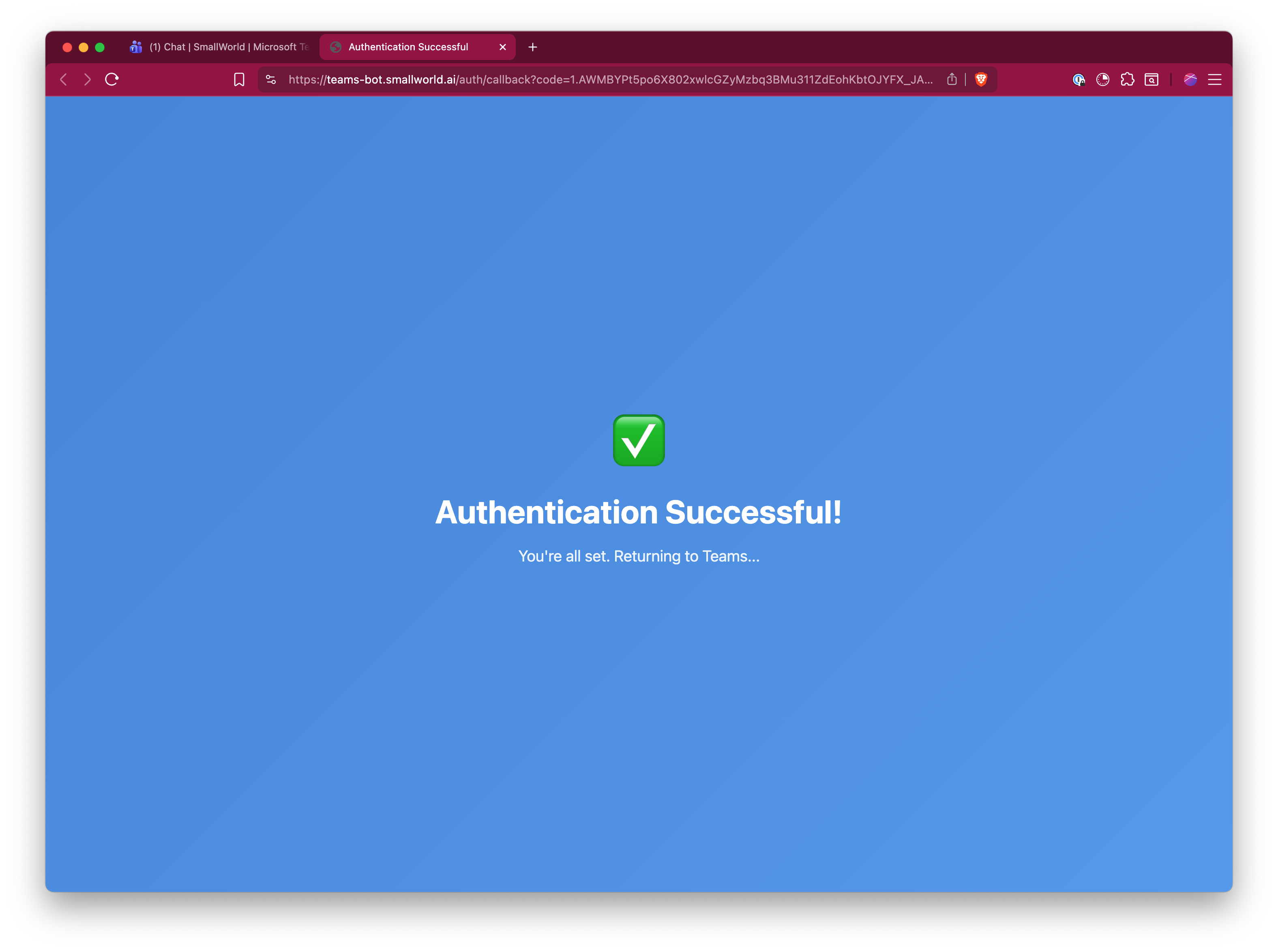
After clicking Sign In, a browser window will open showing the SmallWorld authentication page. Once authentication completes, you'll see a confirmation screen with a green checkmark indicating "Authentication Successful!" and the message "You're all set. Returning to Teams..."
Step 6: Access Your SmallWorld Features
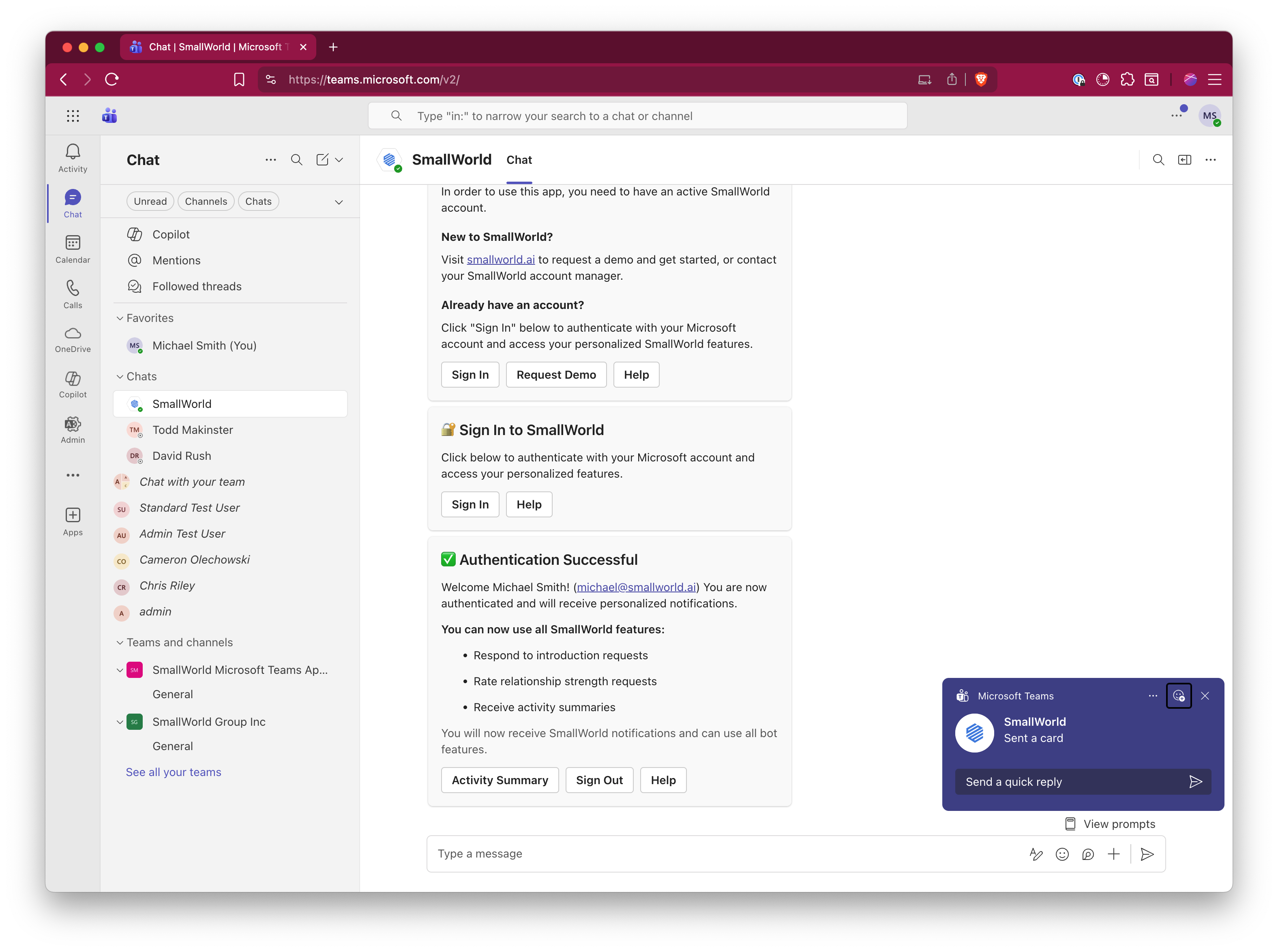
Back in Teams, you'll see confirmation that authentication was successful, welcoming you by name and showing your connected email. You now have access to all SmallWorld features including responding to introduction requests, rating relationship strength requests, and receiving activity summaries.
Step 7: Start Using SmallWorld
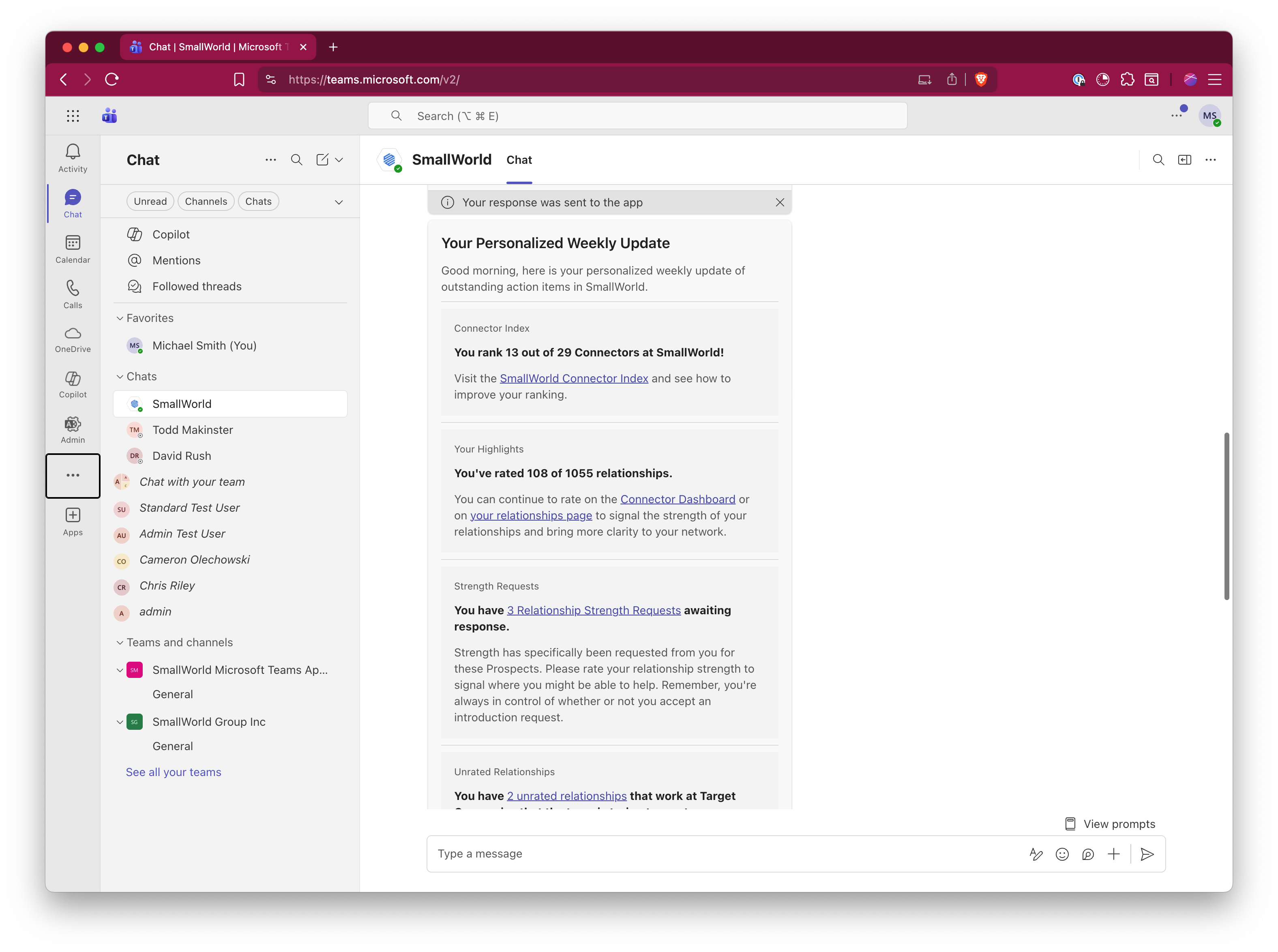
You'll begin receiving personalized notifications, including your Weekly Update showing your Connector Index ranking, highlights on relationship ratings, pending strength requests, and unrated relationships. Use the provided links to visit the SmallWorld Connector Index, Connector Dashboard, and your relationships page to manage your network.